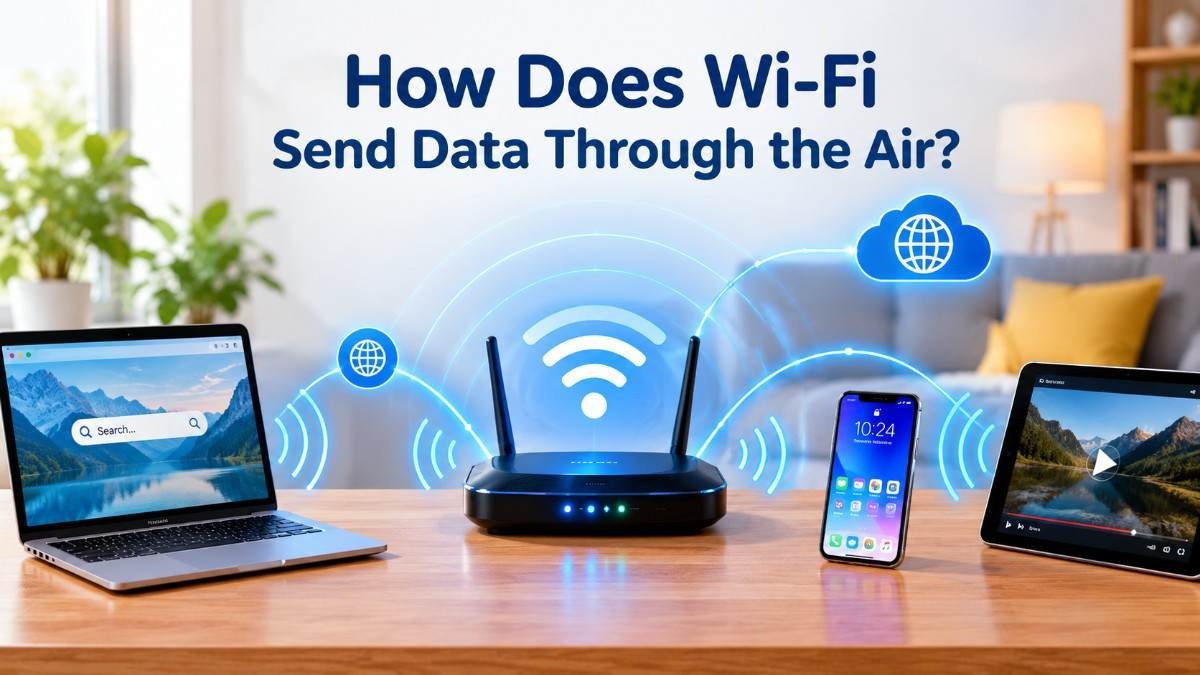
Have you ever wondered how you can watch videos, browse websites, send messages, or download files without connecting your phone or laptop to a cable?
You simply connect to Wi-Fi, and within seconds, information starts appearing on your screen. But how does this happen? How can data travel through the air without any visible wires?
The answer is radio waves.
Wi-Fi uses invisible electromagnetic waves to transfer information between your devices and a wireless router. These waves carry digital information through the air, allowing devices to communicate without needing a physical connection.
Although Wi-Fi feels like magic, it is actually based on science, radio technology, and clever digital communication systems.
Although Wi-Fi makes connecting to the internet incredibly easy, you may sometimes notice that your connection becomes slower, especially during certain hours. If you have ever wondered why this happens, explore our article Why Does Wi-Fi Slow Down at Night? to understand the possible reasons behind slow internet connections.
How Does Wi-Fi Send Data Through the Air?
Wi-Fi sends data through the air using radio waves, which are a type of electromagnetic radiation.
When you open a website, stream a video, or send a message, your device converts digital information into wireless signals. These signals travel through the air to a nearby Wi-Fi router.
The router receives the signals and communicates with the internet through its wired or other network connection. It then sends the requested information back to your device using radio waves.
This communication happens very quickly, often within milliseconds.
Unlike traditional wired connections, Wi-Fi does not require a physical cable between your phone, laptop, and router.
However, Wi-Fi itself is not the internet. It is a wireless networking technology that allows your devices to connect to a local network and, usually, access the internet.
1. Wi-Fi Uses Invisible Radio Waves
One of the most interesting things about Wi-Fi is that it uses radio waves to carry information.
Radio waves are part of the electromagnetic spectrum. They are also used in technologies such as radio broadcasting, television communication, and some wireless communication systems.
Wi-Fi commonly operates in three frequency bands:
- 2.4 GHz: Often provides better coverage and can travel through obstacles more effectively, but it may experience more interference.
- 5 GHz: Can provide faster connections and more available channels, although its range through obstacles is generally shorter.
- 6 GHz: Offers additional spectrum and can support high-performance connections on compatible Wi-Fi devices.
The availability of these bands depends on local regulations and device compatibility.
You cannot see these waves with your eyes because radio waves are outside the range of visible light.
Your phone and router contain antennas that transmit and receive these wireless signals.
This means that whenever you connect to Wi-Fi, information is moving through the air even though nothing visible appears to be happening.
2. Your Router Converts Data Into Wireless Signals
How Does Wi-Fi Send Data Through the Air: Your Wi-Fi router plays an important role in wireless communication.
Think of it as a communication center that helps connect your devices to a network.
When you request information from the internet, your device sends data to the router through radio waves. The router then forwards that information toward the internet through its network connection.
When the requested information comes back, the router sends it wirelessly to your device.
Here is what happens:
- You open a website on your phone.
- Your phone sends a request through Wi-Fi.
- Your router receives the wireless signal.
- The router forwards the request through your internet connection.
- The website’s information travels back through the network.
- Your router transmits the information wirelessly to your phone.
- Your browser displays the website.
This entire process happens extremely quickly.
A router does more than simply transmit radio waves. It also manages network traffic, connects devices, and helps direct information to the correct destination.
3. How Does Wi-Fi Turn Information Into Radio Waves?
How Does Wi-Fi Send Data Through the Air: Computers and smartphones understand digital information in the form of bits, represented by zeros and ones.
But how can these zeros and ones travel through the air?
Wi-Fi uses a process called modulation.
Modulation changes certain properties of a radio signal so that it can represent digital information.
For example, Wi-Fi systems can use techniques that change the amplitude and phase of radio waves to represent different combinations of bits.
Modern Wi-Fi technologies use sophisticated modulation methods to send large amounts of information efficiently.
One commonly used technique is called Orthogonal Frequency-Division Multiplexing, or OFDM.
OFDM divides a wireless channel into many smaller subcarriers. Data can be transmitted across these subcarriers, helping Wi-Fi communicate efficiently in environments where radio signals may experience interference or reflections.
Newer Wi-Fi standards also use improved versions of these technologies to support more efficient communication.
In simple terms, your device changes digital information into a pattern of radio signals, and the receiving device interprets that pattern to recover the original data.
4. How Does Your Phone Receive Wi-Fi Signals?
How Does Wi-Fi Send Data Through the Air: Your smartphone contains a wireless communication system with an antenna.
When your router transmits a Wi-Fi signal, the antenna in your phone receives the radio waves.
The wireless hardware inside your phone processes the received signal and converts it back into digital information.
Your phone then uses that information to display a webpage, play a video, load an image, or deliver a message.
The process also works in the opposite direction.
When you send a message or upload a photograph, your phone converts the digital information into wireless signals and transmits them to the router.
The router forwards that information through the network toward its destination.
This is why Wi-Fi communication works in both directions. Your devices can send and receive information wirelessly.
5. How Does Wi-Fi Send Data to Multiple Devices?
How Does Wi-Fi Send Data Through the Air: Imagine that several people in your home are using Wi-Fi at the same time.
One person is watching a movie, another is attending an online meeting, and someone else is playing an online game.
How can one router communicate with all these devices?
Modern Wi-Fi technologies use different methods to manage wireless communication.
One important technology is called MU-MIMO, which stands for Multi-User Multiple Input Multiple Output.
It allows compatible routers to communicate with multiple devices using multiple spatial streams.
Another technology, called OFDMA, allows a Wi-Fi channel to be divided into smaller resource units that can serve multiple devices more efficiently.
These technologies help improve network performance, particularly when many devices are connected.
However, performance depends on the router, connected devices, Wi-Fi standard, signal quality, and network conditions.
This is one reason newer Wi-Fi routers can handle busy home networks more efficiently than many older models.
6. Why Can Wi-Fi Signals Pass Through Walls?
How Does Wi-Fi Send Data Through the Air: Have you ever noticed that your Wi-Fi still works when you are sitting in another room?
That happens because radio waves can travel through certain materials.
Unlike visible light, radio waves do not always need a clear line of sight between the transmitter and receiver.
They can pass through some walls, doors, and furniture, although their strength may decrease.
Different materials affect Wi-Fi signals in different ways.
For example:
- Wood: Usually allows Wi-Fi signals to pass through with relatively little loss.
- Drywall: Often causes some signal weakening.
- Concrete: Can significantly reduce signal strength.
- Metal: Can block or reflect wireless signals.
- Glass: Its effect depends on its composition and any special coatings.
The frequency also matters. Higher-frequency Wi-Fi signals generally experience greater attenuation through many building materials.
This explains why your Wi-Fi may work perfectly in the living room but become weaker in a bedroom farther away from the router.
7. Why Does Wi-Fi Sometimes Become Slow?
How Does Wi-Fi Send Data Through the Air: Wi-Fi is convenient, but it does not always work at the same speed.
Sometimes videos buffer, websites take longer to load, or downloads become unexpectedly slow.
Several factors can affect Wi-Fi performance.
Distance from the router: The farther you move from the router, the weaker the received signal may become.
Physical obstacles: Walls, floors, furniture, and other materials can reduce signal strength.
Network congestion: When many devices use the same wireless network, available capacity may become limited.
Interference: Other wireless networks and electronic devices can affect certain Wi-Fi frequencies.
Router limitations: Older routers may not support newer Wi-Fi technologies or high-speed connections.
Internet service limitations: Even if your Wi-Fi connection is strong, your internet speed may be limited by your internet service plan or provider.
Poor router placement: Keeping your router inside a cabinet, behind furniture, or near large obstacles can reduce coverage.
To improve your connection, place your router in a central, open location, keep its software updated, and use a suitable frequency band for your needs.
8. Is Wi-Fi Different From Mobile Data?
How Does Wi-Fi Send Data Through the Air: Yes. Wi-Fi and mobile data both provide wireless internet access, but they use different network systems.
Wi-Fi generally connects your device to a nearby wireless router or access point.
Mobile data connects your phone to a cellular network operated by a mobile carrier.
Here are some important differences:
Wi-Fi:
- Usually connects through a nearby router.
- Often uses a home, office, or public internet connection.
- Commonly operates on 2.4 GHz, 5 GHz, or 6 GHz bands.
- Does not usually require a mobile data plan.
Mobile data:
- Connects through cellular infrastructure.
- Uses mobile network technologies such as 4G LTE and 5G.
- Can provide internet access while you are traveling.
- Usually requires a mobile carrier plan.
Both technologies allow you to browse websites, watch videos, and communicate online, but their coverage, speed, and costs can differ.
9. Is Wi-Fi Safe to Use?
How Does Wi-Fi Send Data Through the Air: Wi-Fi uses radiofrequency electromagnetic waves to transmit information.
According to the World Health Organization, radiofrequency fields are a form of non-ionizing radiation. They do not have enough energy to directly remove electrons from atoms in the way ionizing radiation can.
Wi-Fi devices operate under established radiofrequency exposure standards.
For everyday internet security, however, it is important to protect your wireless network from unauthorized access.
Here are a few useful safety practices:
- Use WPA2 or WPA3 security when supported.
- Create a strong and unique Wi-Fi password.
- Keep your router’s firmware updated.
- Change default router administrator passwords.
- Avoid sharing your home network password publicly.
- Use a guest network for visitors when available.
These steps help protect your network and connected devices.
10. What Happens When You Turn Off Your Wi-Fi?
How Does Wi-Fi Send Data Through the Air: When you turn off Wi-Fi on your phone or laptop, the device stops using its Wi-Fi connection for wireless network communication.
If mobile data is enabled, your phone may switch to a cellular network.
If mobile data is disabled too, your device may lose internet access unless another connection is available.
Your router may continue transmitting Wi-Fi signals even when your phone is disconnected.
This is because the router operates independently and continues providing wireless connectivity to other devices.
Turning off Wi-Fi on one device does not automatically turn off the entire wireless network.
FAQs How Does Wi-Fi Send Data Through the Air
1. How does Wi-Fi send data without wires?
Wi-Fi uses radio waves to transmit digital information through the air. Antennas inside your router and devices send and receive these signals, allowing them to communicate without physical cables.
2. Can Wi-Fi signals travel through walls?
Yes. Wi-Fi signals can pass through many common building materials, including drywall and wood. However, concrete, metal, and other dense materials can weaken or block the signals.
3. Does Wi-Fi use radio waves or microwaves?
Wi-Fi uses radiofrequency electromagnetic waves. Its common operating frequencies fall within the microwave portion of the radiofrequency spectrum.
4. Can Wi-Fi work without the internet?
Yes. Wi-Fi can connect devices to a local network even when that network has no internet connection. For example, devices may communicate with a local printer or share files over a local network.
5. Why does Wi-Fi become weaker in another room?
Walls, floors, furniture, distance, and interference can weaken Wi-Fi signals. The frequency band being used also affects how well signals travel through obstacles.
6. How far can a Wi-Fi signal travel?
There is no single fixed range. Wi-Fi coverage depends on the router, frequency, antennas, transmit power, building materials, and interference. Indoor coverage is generally more limited than in open outdoor spaces.
7. Is Wi-Fi faster than mobile data?
It depends on the technology, network conditions, and internet connection. A modern Wi-Fi network can be faster than some cellular connections, while 5G can outperform congested or older Wi-Fi networks in certain situations.
8. Does Wi-Fi work when the router is turned off?
No. If your router is the wireless access point for your network and it is turned off, your devices cannot connect to that Wi-Fi network through it.
Conclusion
How Does Wi-Fi Send Data Through the Air: Wi-Fi sends data through the air using invisible radio waves that carry digital information between your devices and a wireless router.
When you browse a website, watch a video, or send a message, your device converts digital information into wireless signals. Your router receives those signals, communicates with the network, and sends information back to your device.
Technologies such as modulation, OFDM, MU-MIMO, and OFDMA help modern Wi-Fi networks transmit information efficiently.
The next time you connect your phone to Wi-Fi, remember that invisible radio waves are carrying information around you every second.
What seems like magic is actually a fascinating combination of physics, engineering, and digital communication.
Read our detailed guide How Does Your Body Know When to Wake Up?